📂 Edit Image 👁 2.8k views 🕐 June 3, 2026

Wisecut

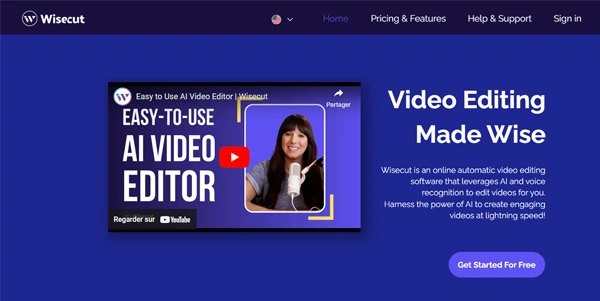
Wisecut is an AI automatic video editor designed for creators and media.

Wisecut is an AI automatic video editor designed for creators and media teams who need to transform their long videos into engaging, viral clips. It is particularly useful for those looking to repurpose their content for platforms like Reels, YouTube Shorts, and TikTok. With Wisecut, users can easily create engaging shorts in just one click, complete with auto-generated captions and translations to expand their audience globally.
The tool works by sifting through footage to find viral-worthy snippets, automatically detecting and cutting silent pauses, and allowing for fine-tuning with its AI Storyboard tool. This means users can edit their videos by moving around the text and scenes without needing video editing skills. Wisecut also automatically picks a song and tailors the music to fit the video, performs audio ducking, and can add hook titles to create scroll-stopping text.
Creators and media teams who frequently produce video content and need to maximize their content creation while minimizing editing time will get the most value from Wisecut. Its ability to automatically generate engaging clips, refine audio, and highlight key moments makes it an indispensable tool for those aiming to increase their online presence and engagement without spending hours in video editing software.

Edit Image Edition Video Featured
Features
AI Automatic Video Editing
Wisecut uses AI to transform long videos into viral clips, automatically detecting and cutting silent pauses and refining the audio for a smooth flow.
Auto-Generated Captions and Translations
Enhance engagement with auto-generated captions that can be easily fine-tuned with Wisecut's AI Storyboard tool, and expand the audience globally by translating content into multiple languages.
AI Storyboard Tool
Edit videos by moving around the text and scenes without needing video editing skills, allowing for easy tweaks and refinements.
Music Tailoring and Audio Ducking
Wisecut automatically picks a song and tailors the music to fit the video, and performs audio ducking to ensure speech is clear and prominent.
Verdict
Best forTeams doing Edit Image work who need consistent output without a steep learning curve.
Skip ifYou only need this once or twice; the subscription cost won't pay off for occasional use.
Saves significant time in video editing by automating the process of finding viral-worthy snippets and refining the audio.
Enhances engagement with auto-generated captions and translations, making content more accessible and appealing to a broader audience.
Provides an easy-to-use interface for editing videos without requiring professional video editing skills.
May not offer the same level of customization as manual video editing software for very specific or complex editing needs.
Dependence on AI for editing decisions might not always align with the creator's vision, requiring additional fine-tuning.
Alternatives
ToolPricingUpvotesRating
Read AI Freemium ▲ 112 3.7
BigIdeasDB Freemium ▲ 315 3.5
Juice AI Freemium ▲ 280 4.1
Frequently Asked Questions
Wisecut is used to transform long videos into viral clips, repurposing them for platforms like Reels, YouTube Shorts, and TikTok. It automates the video editing process, including finding engaging snippets, refining audio, and adding captions and translations.
Wisecut's AI Storyboard tool allows users to edit their videos by moving around the text and scenes, without needing video editing skills. It generates a transcribed storyboard based on the speech in the video, enabling easy tweaks and refinements.
Yes, Wisecut supports translating content into multiple languages, helping creators expand their audience globally and increase engagement.
Yes, you can cancel your Wisecut subscription at any time by going to your Account Settings and clicking on 'Cancel subscription.' You will still have access to all premium features until the end of your billing cycle.
Wisecut allows users to adjust their video to fit vertical, square, or horizontal formats seamlessly, making it easy to repurpose content for different social media platforms.
Reviews
📝
No reviews yet
Be the first to share your experience with Wisecut.
Submit a Review

Your email address will not be published. Required fields are marked *

Wisecut
Wisecut
Freemium
Visit Site ↗
Home Prompts

