📂 Avatars 👁 3k views 🕐 June 2, 2026

VoiceOverMaker

VoiceOverMaker is a tool designed for individuals and teams looking to create.

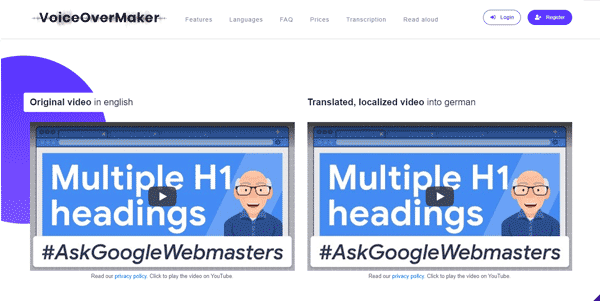
VoiceOverMaker is a tool designed for individuals and teams looking to create professional voice-overs for various applications such as phone announcements, YouTube videos, explainer videos, and e-learning content. It allows users to download voices as MP3 and supports the creation of content in multiple languages. With VoiceOverMaker, users can convert text to speech and save it as MP3, WAV, or MP4 files, making it versatile for different needs. The platform also features an advanced video and audio editor with a screen recorder, allowing for seamless integration of voice-overs into video content. VoiceOverMaker is particularly useful for content creators, educators, and marketers who need to produce high-quality, engaging voice-overs without the hassle of recording and editing audio. Its ease of use, multilingual support, and ability to scale content creation make it an attractive solution for those looking to enhance their video and audio content with professional voice-overs.

Avatars Business Ai Clone Voix Ia
Features
Advanced Video & Audio Editor
Allows for multi-track timeline editing, screen recording, and the addition of AI-powered voice-overs.
Text-to-Speech Conversion
Enables the conversion of text into natural-sounding voices in multiple languages.
Multilingual Support
Supports the creation of voice-overs in numerous languages, making it ideal for global content.
Screen Recorder
Allows users to record their screen and create voice-overs for tutorials, explainer videos, and more.
Verdict
Best forTeams doing Avatars work who need consistent output without a steep learning curve.
Skip ifYou only need this once or twice; the subscription cost won't pay off for occasional use.
Easy to use, even for those without extensive video editing experience.
Supports a wide range of languages, making it versatile for global content creation.
The advanced video and audio editor provides professional-grade features without the need for additional software.
The quality of the generated voice-overs may not always sound completely natural, depending on the text and chosen voice.
The tool's pricing and the availability of a free tier are not clearly detailed, which might be a consideration for some users.
Alternatives
ToolPricingUpvotesRating
Read AI Freemium ▲ 112 3.7
BigIdeasDB Freemium ▲ 315 3.5
Juice AI Freemium ▲ 280 4.1
Frequently Asked Questions
VoiceOverMaker is a tool that allows users to create professional voice-overs for various applications, including phone announcements, YouTube videos, explainer videos, and e-learning content.
Yes, VoiceOverMaker supports the creation of voice-overs for commercial use, including marketing materials and professional videos.
Yes, VoiceOverMaker supports SSML, allowing for more detailed control over the voice-over output.
To convert text-to-speech, simply enter your text into VoiceOverMaker, select your preferred voice and language, and the tool will generate a natural-sounding voice-over.
The AI Video-to-Text Analysis feature automatically generates text from silent screencasts, which can then be converted into voice-overs, making it easier to create tutorials and explainer videos.
Reviews
📝
No reviews yet
Be the first to share your experience with VoiceOverMaker.
Submit a Review

Your email address will not be published. Required fields are marked *

VoiceOverMaker
VoiceOverMaker
Freemium
Visit Site ↗
Home Prompts

