📂 Edition Video 👁 2.9k views 🕐 May 22, 2026

Video Cutter

Video Cutter is an online tool designed for individuals and teams looking.

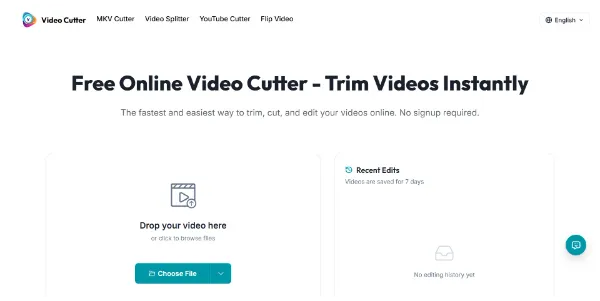
Video Cutter is an online tool designed for individuals and teams looking to trim and cut videos quickly and efficiently. It supports a variety of file formats including MP4, MOV, AVI, MKV, and WebM, making it versatile for different uses. The tool allows users to upload their video files, choose the start and end points, and then export the trimmed clip, all without the need for installing any software.

The key capability of Video Cutter is its simplicity and precision in trimming videos. It offers a straightforward interface where users can drag the trim handles to select the part of the video they want to keep. This makes it ideal for removing unwanted parts such as intros, outros, or long pauses, allowing for clean and fast edits. The tool also supports lossless quality for certain formats, ensuring that the trimmed video maintains its original quality.

Video Cutter is particularly valuable for creators, marketers, and teams who need to edit videos frequently for social media, tutorials, or other online content. It saves time by allowing quick trimming and exporting of videos in the desired format, without the complexity of a full-fledged video editing software. Its free use for standard video trimming tasks and the ability to work directly in the browser make it an accessible tool for a wide range of users.

Edition Video Last Ia Meilleurs Agents Ia
Features
Upload and Trim
Allows users to upload video files in various formats and trim them to the desired length.
Lossless Quality
Supports lossless quality for certain video formats, ensuring the trimmed video maintains its original quality.
No Software Needed
Works directly in the browser, eliminating the need to install any video editing software.
Precise Trimming
Offers precise trim controls, allowing users to set exact start and end points for their video clips.
Verdict
Best forTeams doing Edition Video work who need consistent output without a steep learning curve.
Skip ifYou only need this once or twice; the subscription cost won't pay off for occasional use.
Easy to Use: The interface is user-friendly, making it simple for anyone to trim and cut videos without prior video editing experience.
Fast Editing: Enables quick trimming and exporting of videos, saving time for users who need to edit videos frequently.
Supports Multiple Formats: Accepts a variety of video file formats, including MP4, MOV, AVI, MKV, and WebM, catering to different user needs.
File Size Limitation: There is a maximum file size limit of 2GB for video uploads, which might be restrictive for users with larger video files.
Limited Advanced Features: While it excels in simple trimming tasks, it lacks advanced video editing features that some users might require.
Alternatives
ToolPricingUpvotesRating
Read AI Freemium ▲ 112 3.7
BigIdeasDB Freemium ▲ 315 3.5
Juice AI Freemium ▲ 280 4.1
Frequently Asked Questions
Video Cutter is an online tool that allows users to trim and cut videos in seconds. It supports various file formats and works directly in the browser, eliminating the need for software installation.
Yes, Video Cutter is free to use for standard video trimming tasks, with no cost involved for basic editing needs.
Video Cutter supports MP4, MOV, AVI, MKV, and WebM file formats, making it versatile for different user needs.
Yes, you can start using Video Cutter without creating an account, making it accessible for one-time or casual users.
Video Cutter is designed for quick and simple video trimming, making it ideal for users who do not need advanced editing features. It compares favorably in terms of ease of use and accessibility but may lack the advanced capabilities of full-fledged video editing software.
Reviews
📝
No reviews yet
Be the first to share your experience with Video Cutter.
Submit a Review

Your email address will not be published. Required fields are marked *

Video Cutter
Video Cutter
Freemium
Visit Site ↗
Home Prompts

