📂 Edition Video 👁 3.3k views 🕐 May 21, 2026

Video Converter

Video Converter is a fast and free online video converter designed for.

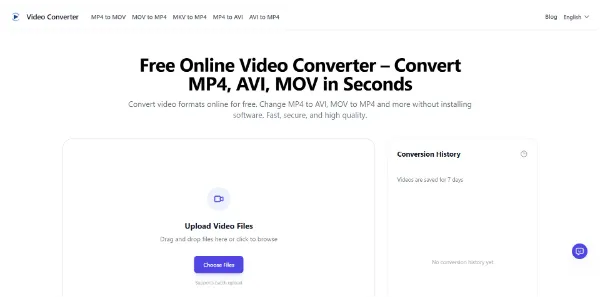
Video Converter is a fast and free online video converter designed for individuals who need to convert their video files to various formats like MP4, MOV, AVI without losing quality. It is suitable for those who frequently work with videos and need a straightforward, no-installation solution. The tool supports a wide range of input and output formats, including MP4, AVI, MOV, WMV, MKV, FLV, and WebM, making it versatile for different user needs.

The Video Converter works by allowing users to upload their video files, choose the desired output format, and then convert and download the file. The process is designed to be simple and efficient, with optimized cloud processing that ensures fast video conversion even for large files. This makes it ideal for tasks that require quick turnaround times, such as preparing videos for social media or email campaigns. The converter also preserves the original video quality and keeps files safe, with all uploaded videos processed securely and automatically deleted after conversion.

Professionals and individuals who frequently need to convert video formats for work, school, or personal projects can get the most value from Video Converter. Its ability to handle a wide range of formats and its commitment to preserving video quality make it a reliable choice for those who require high-quality video conversion without the hassle of installing software or dealing with complicated settings. Whether it's for converting videos for YouTube, Instagram, or other platforms, or simply for ensuring compatibility across different devices, Video Converter offers a convenient and effective solution.

Edition Video Last Ia Meilleurs Agents Ia
Features
High-Quality Output
The Video Converter preserves the original video quality, ensuring that the converted files do not lose resolution or audio clarity.
Support for All Popular Formats
It supports a wide range of input and output formats, including MP4, AVI, MOV, WMV, MKV, FLV, and WebM, making it versatile for different user needs.
Fast Conversion
The optimized cloud processing ensures fast video conversion even for large files, helping users save time when converting videos.
Secure Conversion
All uploaded videos are processed securely and automatically deleted after conversion, providing privacy protection for users.
Verdict
Best forTeams doing Edition Video work who need consistent output without a steep learning curve.
Skip ifYou only need this once or twice; the subscription cost won't pay off for occasional use.
The Video Converter is completely free to use, with no fees or subscription plans required for basic tasks, making it an affordable option for individuals and professionals.
It offers a simple and intuitive interface that makes it easy for users to convert their video files, even for those who are not technically inclined.
The tool supports batch uploading, which saves time for users who need to convert multiple files at once.
There is a generous file size limit for free users, but extremely large files may need to be compressed first, which could be a limitation for some users.
The tool may not be suitable for users who require advanced video editing features, as it is primarily designed for format conversion.
Alternatives
ToolPricingUpvotesRating
Read AI Freemium ▲ 112 3.7
BigIdeasDB Freemium ▲ 315 3.5
Juice AI Freemium ▲ 280 4.1
Frequently Asked Questions
Video Converter is a free online tool that allows users to convert their video files to various formats like MP4, AVI, MOV without losing quality. It works by uploading the video file, choosing the output format, and then converting and downloading the file.
Yes, the Video Converter is 100% free to use, with no fees or subscription plans required for basic tasks.
The Video Converter supports a wide range of input and output formats, including MP4, AVI, MOV, WMV, MKV, FLV, and WebM.
The Video Converter processes all uploaded videos securely and automatically deletes them after conversion, providing privacy protection for users.
Yes, the Video Converter is a cloud-based tool that can be accessed directly from a web browser on any device, including iPhones, iPads, and Android devices.
Reviews
📝
No reviews yet
Be the first to share your experience with Video Converter.
Submit a Review

Your email address will not be published. Required fields are marked *

Video Converter
Video Converter
Freemium
Visit Site ↗
Home Prompts

