Video Compress
Video Compress is a fast, free, and easy-to-use video compressor designed for.
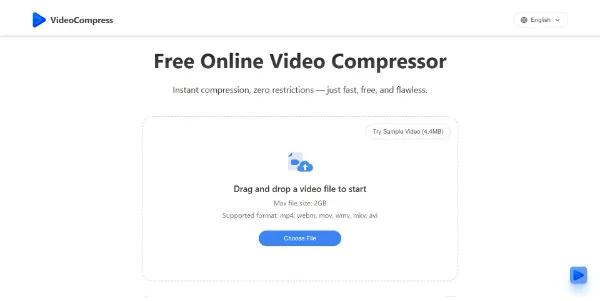
Video Compress is a fast, free, and easy-to-use video compressor designed for teams, creators, and businesses worldwide. It allows users to reduce file size without losing quality for various formats such as MP4, MOV, AVI, and more. The tool supports over 40 video formats and provides flexible compression settings, making it suitable for everyday video workflows. Video Compress is ideal for individuals who need to compress videos for Discord, social media, or other platforms with strict upload limits. Its cloud-based video compression and secure upload process ensure that files are protected during upload and processing.
Avatars
Business Ai
Edit Image
Visit Official Site
Freemium
Flexible Compression Settings
Allows users to set a target size or use advanced settings for the right balance between quality and compression.
Cloud-Based Video Compression
Enables users to compress videos online without complicated steps, making it easy to make videos smaller quickly in a browser.
Supports 40+ Video Formats
Supports various video formats, including MP4, AVI, MKV, and many more, making it easy to compress almost any video file.
Secure Upload Process
Protects files during upload and processing, automatically deleting uploaded video data from servers after a limited period.
✓Fast and easy-to-use, reducing the time and effort required for video compression.
✓No watermark and no usage limits, making it suitable for heavy users and businesses.
✓Supports a wide range of video formats, making it a versatile tool for various use cases.
✕May not be suitable for users who require advanced video editing features beyond compression.
✕The free version may have limitations, such as limited customer support or fewer features.
| Tool | Pricing | Upvotes | Rating |
|---|---|---|---|
 Read AI
 |
Freemium | ▲ 112 | ★ 3.7 |
 BigIdeasDB
 |
Freemium | ▲ 315 | ★ 3.5 |
 Juice AI
 |
Freemium | ▲ 280 | ★ 4.1 |
Video Compress is a fast, free, and easy-to-use video compressor that reduces file size without losing quality for various formats. It works by allowing users to upload their videos, select the desired compression settings, and download the compressed file.
Yes, Video Compress is free to use, with no watermark and no usage limits, making it suitable for heavy users and businesses.
Video Compress supports over 40 video formats, including MP4, AVI, MKV, and many more, making it easy to compress almost any video file.
Yes, Video Compress can be used for commercial purposes, as it is designed for teams, creators, and businesses worldwide.
Video Compress stands out from other tools due to its ease of use, flexibility, and support for a wide range of video formats, making it a popular choice among creators and businesses.
📝
No reviews yet
Be the first to share your experience with Video Compress.
Submit a Review