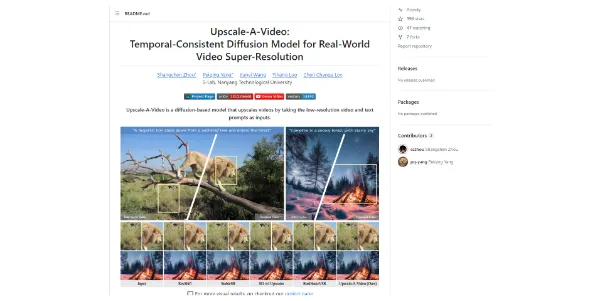
Upscale-A-Video
Those who get the most value from Upscale-A-Video are likely video editors,.
Those who get the most value from Upscale-A-Video are likely video editors, researchers, and content creators who require high-quality video outputs for their work. This tool is particularly beneficial for projects that involve restoring old videos, enhancing low-resolution footage, or generating high-quality video content from text prompts. By leveraging the temporal-consistent diffusion model of Upscale-A-Video, these professionals can achieve superior video quality that meets their specific needs and enhances their overall workflow.
Avatars
Best AI Video Tools
Business Ai
Visit Official Site
Freemium
Temporal-Consistent Diffusion Model
Upscale-A-Video utilizes a temporal-consistent diffusion process to ensure that the upscaled video maintains consistency across frames.
Adjustable Parameters
The model allows for adjustable parameters such as the number of steps, guidance scale, and sampling method, giving users control over the upscaling process.
Optional Color Fixation
Users can set --color_fix to 'AdaIn' or 'Wavelet' to address color discrepancies between the output and input videos.
Support for Various Video Types
Upscale-A-Video can handle different types of videos, including old movies, animations, and AIGC videos.
✓Upscale-A-Video provides high-quality video outputs with temporal consistency, making it ideal for applications where video quality is crucial.
✓The model's adjustable parameters give users flexibility and control over the upscaling process.
✓The optional features, such as color fixation and the use of LLaVA, enhance the model's performance and versatility.
✕Upscale-A-Video may require significant computational resources and time to process large videos or complex upscaling tasks.
✕The model's performance may vary depending on the quality of the input video and the specific parameters used.
| Tool | Pricing | Upvotes | Rating |
|---|---|---|---|
 Read AI
 |
Freemium | ▲ 112 | ★ 3.7 |
 BigIdeasDB
 |
Freemium | ▲ 315 | ★ 3.5 |
 Juice AI
 |
Freemium | ▲ 280 | ★ 4.1 |
Upscale-A-Video is a diffusion-based model designed to upscale videos by taking low-resolution videos and text prompts as inputs. It utilizes a temporal-consistent diffusion process to ensure that the upscaled video maintains consistency across frames.
The key capabilities of Upscale-A-Video include its ability to handle various types of videos, adjustable parameters, optional color fixation, and support for the use of LLaVA.
The pros of Upscale-A-Video include its ability to provide high-quality video outputs with temporal consistency, adjustable parameters, and optional features. The cons include the potential requirement for significant computational resources and time, as well as varying performance depending on the input video and parameters used.
Upscale-A-Video can be used by video editors to enhance the quality of low-resolution footage or restore old videos, by researchers to generate high-quality video content from text prompts, and by content creators to create high-quality video outputs for various applications.
Upscale-A-Video differs from other video upscaling tools in its use of a temporal-consistent diffusion model, which provides high-quality video outputs with temporal consistency. However, the specific comparison with other tools would depend on their respective features, capabilities, and performance.
📝
No reviews yet
Be the first to share your experience with Upscale-A-Video.
Submit a Review