📂 Edit Audio 👁 2.4k views 🕐 May 30, 2026

ThinkSound

ThinkSound is an AI tool designed for individuals and teams looking to.

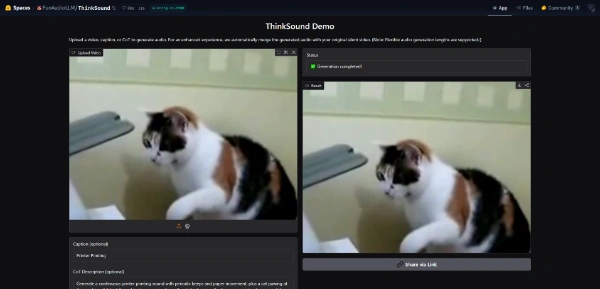
ThinkSound is an AI tool designed for individuals and teams looking to enhance their silent videos with automatically generated sound effects and background audio. It's particularly useful for content creators, videographers, and social media managers who want to add an extra layer of engagement to their visual content without manually editing audio. By uploading a silent video and optionally providing a short caption or detailed description, ThinkSound's algorithm creates a customized audio track that complements the video, making it more immersive and engaging for viewers. ThinkSound's key capability is its ability to analyze the video content and generate audio that matches the context, tone, and atmosphere of the visuals, thus providing a seamless viewing experience. Content creators, videographers, and social media managers can derive the most value from ThinkSound as it saves them time and effort in manually editing audio, allowing them to focus on other aspects of content creation and distribution.

Edit Audio Edition Video Featured
Features
Automated Sound Effects Generation
ThinkSound can analyze the uploaded video and generate sound effects that match the actions, movements, and context of the visuals.
Background Audio Generation
The tool can also create background audio that complements the sound effects, enhancing the overall audio-visual experience.
Customizable Audio
Users can influence the generated audio by providing a short caption or a detailed description of the video content.
Seamless Integration
ThinkSound combines the newly created audio with the original video, making it ready for distribution across various platforms.
Verdict
Best forTeams doing Edit Audio work who need consistent output without a steep learning curve.
Skip ifYou only need this once or twice; the subscription cost won't pay off for occasional use.
Saves Time: ThinkSound automates the process of adding sound effects and background audio, saving users a significant amount of time and effort.
Enhances Engagement: The automatically generated audio can make videos more engaging and immersive for viewers, potentially increasing viewer retention and interaction.
Easy to Use: The tool is designed to be user-friendly, requiring minimal input from the user to generate high-quality audio.
Limited Control: Users have limited control over the final audio output, as the generation process is automated and based on the algorithm's analysis.
Dependence on Video Quality: The quality of the generated audio may depend on the quality and context of the input video, which could lead to variable results.
Alternatives
ToolPricingUpvotesRating
Read AI Freemium ▲ 112 3.7
BigIdeasDB Freemium ▲ 315 3.5
Juice AI Freemium ▲ 280 4.1
Frequently Asked Questions
ThinkSound is an AI tool that generates sound effects and background audio for silent videos. It works by analyzing the uploaded video and creating a customized audio track based on the context, tone, and atmosphere of the visuals.
The pricing model for ThinkSound is not explicitly stated, but it's part of a platform that offers services starting at $0, suggesting there might be a free tier or a pay-as-you-go model.
Yes, users can influence the generated audio by providing a short caption or a detailed description of the video content, although the final output is determined by the tool's algorithm.
ThinkSound can be used with any type of silent video, including but not limited to social media clips, videography projects, and educational content.
ThinkSound automates the audio editing process, saving time and effort compared to manual editing. However, it may lack the precision and customization that manual editing provides, making it suitable for projects where speed and efficiency are prioritized.
Reviews
📝
No reviews yet
Be the first to share your experience with ThinkSound.
Submit a Review

Your email address will not be published. Required fields are marked *

ThinkSound
ThinkSound
Freemium
Visit Site ↗
Home Prompts

