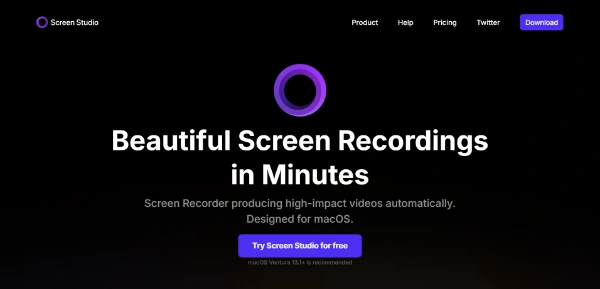
Screen.Studio
Screen
Screen.Studio is a screen recorder designed for macOS, intended for individuals and professionals looking to create engaging product demos, courses, tutorials, and social media videos. It automatically zooms in on the cursor, increases the cursor size, and smooths its movements, making videos look beautiful and professional. With its user-friendly interface and automatic video editing capabilities, Screen.Studio empowers users to record and share high-quality videos that match their brand, making it ideal for those who need to create tutorial videos, product demos, and social media content.
Avatars
Best AI Video Tools
Business Ai
Visit Official Site
Freemium
Automatic Zoom
Screen.Studio automatically zooms in on the cursor, increasing its size and smoothing its movements to create engaging screen recordings.
Smooth Mouse Movement
The tool transforms shaky and rapid cursor movements into smooth and beautiful glides, enhancing the overall video quality.
Device Recording
Users can connect their iPhone or iPad with a USB cable and start recording, making it easy to create mobile app demos.
Video Editing
Screen.Studio works as a video editor, allowing users to trim, cut, or speed up parts of their recording, and add zooms and animations.
✓Easy to use: Screen.Studio is designed to be user-friendly, making it easy for individuals to create high-quality videos without extensive video editing experience.
✓Automatic video editing: The tool's automatic video editing capabilities save users time and effort, allowing them to focus on their content.
✓Customization options: Screen.Studio provides users with various customization options, such as changing the background, outer spacing, shadow, and inset, to match their brand.
✕Limited to macOS: Screen.Studio is exclusively designed for macOS, making it unavailable for Windows or other operating systems.
✕No advanced video editing features: While Screen.Studio offers automatic video editing, it may not provide the same level of advanced features as professional video editing software.
| Tool | Pricing | Upvotes | Rating |
|---|---|---|---|
 Read AI
 |
Freemium | ▲ 112 | ★ 3.7 |
 BigIdeasDB
 |
Freemium | ▲ 315 | ★ 3.5 |
 Juice AI
 |
Freemium | ▲ 280 | ★ 4.1 |
Screen.Studio is a screen recorder designed for macOS, intended for creating engaging product demos, courses, tutorials, and social media videos.
The key features of Screen.Studio include automatic zoom, smooth mouse movement, device recording, video editing, and export options.
Yes, Screen.Studio is designed to be user-friendly, making it easy for individuals to create high-quality videos without extensive video editing experience.
Yes, Screen.Studio can be used to create engaging social media videos, such as explainer videos, testimonials, or promotional content.
Screen.Studio offers a unique combination of automatic video editing and customization options, making it a strong competitor in the screen recording software market.
📝
No reviews yet
Be the first to share your experience with Screen.Studio.
Submit a Review