📂 Art 👁 1.3k views 🕐 May 21, 2026

Pixelicious

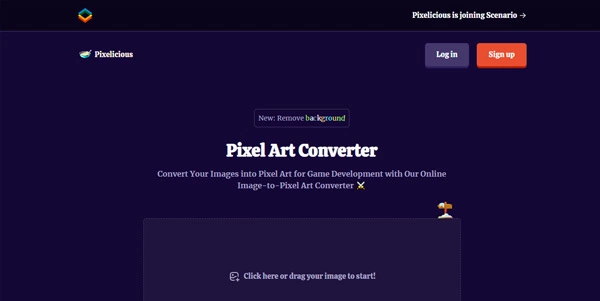
Pixelicious is an online tool designed for artists, game developers, and designers.

Pixelicious is an online tool designed for artists, game developers, and designers looking to convert any image into pixel art with adjustable palettes and grid sizes. It allows users to create authentic retro or stylized designs, making it perfect for various use cases such as game development, social media, and brand identity. With its instant pixel art conversion feature, users can easily transform photos or illustrations into pixel art for games, posters, or avatars. The tool offers key capabilities such as adjustable grid sizes, customizable color palettes, and options to remove noise and background, giving users full control over their pixel art creations. Game developers, artists, and designers can benefit greatly from Pixelicious, as it enables them to create consistent retro aesthetics, stylized portraits, and pixel-perfect icons and interface elements. By using Pixelicious, users can save time and effort in creating pixel art from scratch and focus on other aspects of their projects.

Art Avatars Business Ai
Features
Adjustable Grid Sizes
Choose from predefined grid sizes (16 px, 32 px, 64 px, 128 px, 256 px) to control the amount of pixelation.
Customizable Color Palettes
Use the automatically extracted palette or create your own by adding colors, entering hex codes, and setting the palette size.
Instant Pixel Art Conversion
Convert any image to pixel art instantly with adjustable grids and custom color palettes.
Remove Noise and Background
Smooth jagged edges with 'Remove Noise' and clear backgrounds with 'Remove Background' for creating clean sprites or isolated assets.
Verdict
Best forTeams doing Art work who need consistent output without a steep learning curve.
Skip ifYou only need this once or twice; the subscription cost won't pay off for occasional use.
Easy to use: Pixelicious offers a user-friendly interface that makes it easy to convert images to pixel art, even for those without extensive design experience.
Customizable: The tool provides adjustable grid sizes and customizable color palettes, giving users full control over their pixel art creations.
Time-saving: Pixelicious enables users to create pixel art quickly, saving time and effort that would be spent creating it from scratch.
Limited advanced features: Pixelicious is designed for basic pixel art conversion and may not offer advanced features that some professional designers or artists require.
Dependence on image quality: The quality of the output pixel art depends on the quality of the input image, which may limit the tool's effectiveness for low-resolution images.
Alternatives
ToolPricingUpvotesRating
Read AI Freemium ▲ 112 3.7
BigIdeasDB Freemium ▲ 315 3.5
Juice AI Freemium ▲ 280 4.1
Frequently Asked Questions
Pixelicious is an online tool that converts any image into pixel art with adjustable palettes and grid sizes for authentic retro or stylized designs.
Pixelicious can be used for game development, social media and brand identity, and graphic design, among other use cases.
Pixelicious works by allowing users to upload an image, adjust the grid size and color palette, and then generate the pixel art.
Pixelicious offers a free trial, but pricing details for paid plans are not explicitly stated on the official homepage.
Alternatives to Pixelicious include other pixel art converters and graphic design software, but Pixelicious offers a unique combination of ease of use and customization options.
Reviews
📝
No reviews yet
Be the first to share your experience with Pixelicious.
Submit a Review

Your email address will not be published. Required fields are marked *

Pixelicious
Pixelicious
Freemium
Visit Site ↗
Home Prompts

