📂 Avatars 👁 952 views 🕐 May 30, 2026

Narakeet

Narakeet is a text to speech video maker that allows users to.

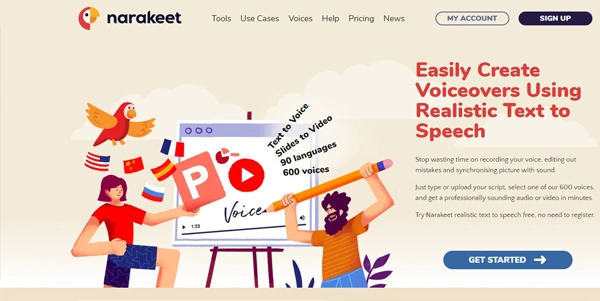
Narakeet is a text to speech video maker that allows users to turn scripts into voiceovers and edit videos as easily as editing text. It is designed for individuals and teams looking to create video content, such as tutorials, announcements, and marketing videos, without the need for extensive recording and editing.
Narakeet works by using natural sounding text to speech in 100 languages, with 900 voices, to create audio files and narrated videos quickly. It also allows users to create slides, add call-outs, put text on top of images and videos, generate subtitle files, and extract video segments. Additionally, users can convert PowerPoint, Google Slides, or Keynote presentations into full HD videos for YouTube, and automatically add subtitles and closed captions to videos.
Narakeet is particularly useful for content creators, marketers, and educators who need to produce high-quality video content quickly and efficiently. It is also beneficial for those who want to create video content in multiple languages, as it supports 100 languages and 900 voices. With Narakeet, users can focus on the content rather than spending time on recording and editing, making it an ideal tool for those who want to create professional-looking videos without extensive video production experience.

Avatars Business Ai Clone Voix Ia
Features
Text to Speech
Narakeet converts text into natural, realistic speech in 100 languages with 900 voices.
Slides to Video
Narakeet allows users to create videos from PowerPoint, Google Slides, or Keynote presentations.
Video Editing
Narakeet enables users to edit videos as easily as editing text, adding call-outs, text, and images.
Subtitle and Closed Caption Generation
Narakeet automatically generates subtitles and closed captions for videos.
Verdict
Best forTeams doing Avatars work who need consistent output without a steep learning curve.
Skip ifYou only need this once or twice; the subscription cost won't pay off for occasional use.
Saves time on recording and editing, allowing users to focus on content creation.
Supports 100 languages and 900 voices, making it ideal for creating video content in multiple languages.
Automatically generates subtitles and closed captions, making video content more accessible.
May not be suitable for users who require highly customized or complex video editing capabilities.
Limited control over the final video output, as the tool uses automated processes to generate the video.
Alternatives
ToolPricingUpvotesRating
Read AI Freemium ▲ 112 3.7
BigIdeasDB Freemium ▲ 315 3.5
Juice AI Freemium ▲ 280 4.1
Frequently Asked Questions
Narakeet is a text to speech video maker that converts text into natural, realistic speech and creates videos from slides. It uses automated processes to generate the video, making it easy to create high-quality video content quickly.
Yes, you can try Narakeet's realistic text to speech for free without registering, but pricing information for paid plans is not provided on the official website.
Narakeet supports various file formats, including PowerPoint, Google Slides, Keynote, SRT, and WebVTT.
Yes, Narakeet supports 100 languages and 900 voices, making it ideal for creating video content in multiple languages.
Narakeet's automated processes and support for 100 languages and 900 voices make it a unique tool for creating high-quality video content quickly and efficiently.
Reviews
📝
No reviews yet
Be the first to share your experience with Narakeet.
Submit a Review

Your email address will not be published. Required fields are marked *

Narakeet
Narakeet
Freemium
Visit Site ↗
Home Prompts

