📂 Avatars 👁 871 views 🕐 June 1, 2026

MuseVideo

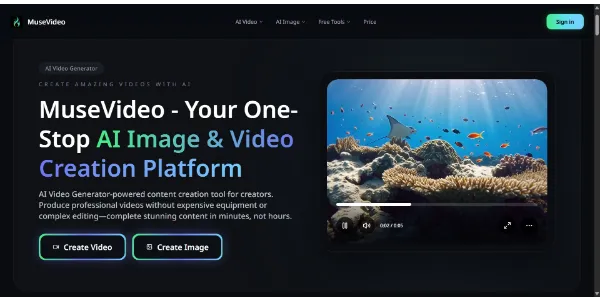
MuseVideo is a tool designed for individuals and teams looking to create.

MuseVideo is a tool designed for individuals and teams looking to create custom digital avatars for various applications, including video production, animation, and interactive experiences. It is particularly suited for those who need to produce high-quality, personalized avatars without extensive animation or design expertise.

MuseVideo works by providing users with a platform to design, customize, and animate their avatars. The key capabilities include a user-friendly interface for character design, a library of pre-made templates and assets, and the ability to integrate the created avatars into different projects, such as videos, presentations, and virtual events.

The tool offers the most value to content creators, educators, and marketers who need engaging, personalized avatars to enhance their content and communicate more effectively with their audiences. By using MuseVideo, these professionals can create unique digital characters that reflect their brand or message, thereby increasing audience engagement and retention.

Avatars Best AI Video Tools Business Ai
Features
Custom Avatar Design
Allows users to create avatars from scratch or use pre-made templates, giving them full control over the character's appearance and style.
Animation Capabilities
Enables the creation of animated avatars that can be used in videos, presentations, and other multimedia content.
Integration Options
Supports the integration of created avatars into various platforms and tools, making it versatile for different use cases.
User-Friendly Interface
Designed to be accessible to users without extensive design or animation experience, making it possible for anyone to create professional-looking avatars.
Verdict
Best forTeams doing Avatars work who need consistent output without a steep learning curve.
Skip ifYou only need this once or twice; the subscription cost won't pay off for occasional use.
Enhances Engagement: Custom avatars can significantly increase audience engagement and interaction with content.
Saves Time: The user-friendly interface and pre-made templates can reduce the time spent on designing and animating avatars.
Increases Personalization: Allows for the creation of avatars that closely match a brand's identity or an individual's personality.
Limited Advanced Features: May not offer the advanced features and controls that professional animators or designers require.
Dependence on Templates: The quality and variety of the pre-made templates can significantly impact the final result, and users may find the options limiting.
Alternatives
ToolPricingUpvotesRating
Read AI Freemium ▲ 112 3.7
BigIdeasDB Freemium ▲ 315 3.5
Lumiere3D Freemium ▲ 257 4.5
Frequently Asked Questions
MuseVideo is used for creating custom digital avatars for various applications, including video production, animation, and interactive experiences. It's particularly useful for content creators, educators, and marketers looking to enhance their content with personalized characters.
Yes, MuseVideo is designed to be user-friendly, allowing individuals without extensive design or animation experience to create professional-looking avatars. It features a straightforward interface and offers pre-made templates to simplify the creation process.
Yes, MuseVideo provides animation capabilities, enabling you to create animated avatars that can be integrated into videos, presentations, and other multimedia content. The animation features are designed to be accessible and easy to use, even for those without prior animation experience.
The specific details of MuseVideo's support options are not available. Typically, tools like MuseVideo offer a combination of online resources, such as tutorials and FAQs, and direct support through email or chat. For the most accurate information, it's best to check the official MuseVideo website or contact their support team directly.
MuseVideo stands out with its focus on ease of use and customization options, making it a great choice for those who want to create unique avatars without needing advanced design skills. However, the comparison with other tools depends on specific needs and preferences. For professional-grade features and controls, other tools might be more suitable, while MuseVideo excels in accessibility and user-friendliness.
Reviews
📝
No reviews yet
Be the first to share your experience with MuseVideo.
Submit a Review

Your email address will not be published. Required fields are marked *

MuseVideo
MuseVideo
Freemium
Visit Site ↗
Home Prompts

