📂 Edition Video 👁 1.4k views 🕐 June 1, 2026

Movavi

Movavi is a video editing software designed for individuals who want to.

Movavi is a video editing software designed for individuals who want to create professional-looking videos without extensive editing experience. It is safe, trusted, and easy to use, making it an ideal choice for beginners. The software offers a range of features, including drag-and-drop transitions, automatic tools, and a user-friendly interface. Movavi Video Editor is a great alternative to iMovie, offering similar functionality and ease of use. The software is available for free download, with optional paid upgrades to unlock advanced features. Whether you're a beginner or an experienced editor, Movavi provides the tools and support you need to create high-quality videos.

Edition Video Featured Future Tools Ia
Features
Drag-and-drop transitions
easily add transitions between clips with a simple drag-and-drop interface
Automatic tools
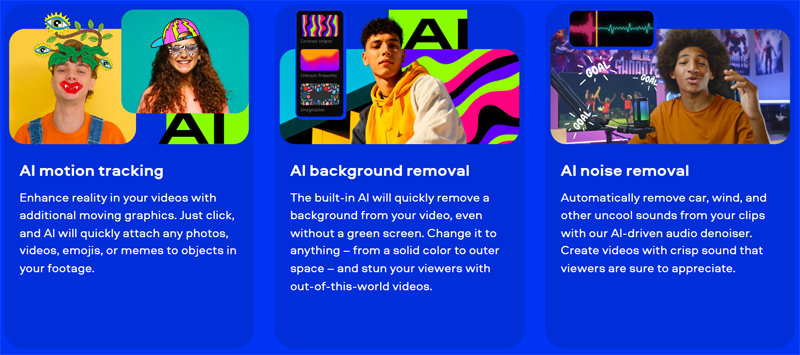
access features like auto-subtitles, beat detection, and noise removal to streamline your editing process
User-friendly interface
navigate the software with ease, thanks to an intuitive design and handy tooltips
Free version
download and try out the software for free, with optional paid upgrades to unlock advanced features
Verdict
Best forTeams doing Edition Video work who need consistent output without a steep learning curve.
Skip ifYou only need this once or twice; the subscription cost won't pay off for occasional use.
Easy to use, even for beginners, with a user-friendly interface and handy tooltips
Fast and efficient editing process, thanks to automatic tools and drag-and-drop transitions
Great alternative to iMovie, offering similar functionality and ease of use
Free version has limitations, including a Movavi watermark and restricted access to advanced features
Paid upgrades may be necessary to unlock full functionality
Alternatives
ToolPricingUpvotesRating
Read AI Freemium ▲ 112 3.7
BigIdeasDB Freemium ▲ 315 3.5
Juice AI Freemium ▲ 280 4.1
Frequently Asked Questions
Movavi is a video editing software that offers a range of features, including drag-and-drop transitions and automatic tools, to help you create professional-looking videos. It's easy to use and offers a free version, as well as paid upgrades to unlock advanced features.
Yes, Movavi offers a free version with limited features, including a Movavi watermark and restricted access to advanced features. Paid upgrades are available to unlock full functionality.
The system requirements for Movavi are not specified, but it's recommended to check the official website for the latest information.
Yes, Movavi can be used for commercial purposes, including creating videos for marketing and social media campaigns. However, it's recommended to check the licensing terms and conditions for specific requirements.
Movavi is a great alternative to iMovie, offering similar functionality and ease of use. It's available for Windows, whereas iMovie is exclusive to Mac, making it a great option for PC users.
Reviews
📝
No reviews yet
Be the first to share your experience with Movavi.
Submit a Review

Your email address will not be published. Required fields are marked *

Movavi
Movavi
Freemium
Visit Site ↗
Home Prompts

