📂 Avatars 👁 3.2k views 🕐 May 25, 2026

GPT2Markdown

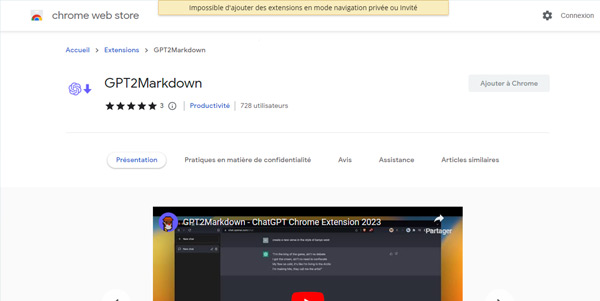
GPT2Markdown is a Chrome extension designed for individuals who frequently use ChatGPT.

GPT2Markdown is a Chrome extension designed for individuals who frequently use ChatGPT and need an efficient way to export their conversations to Markdown format. It is particularly useful for those who want to organize their conversations digitally, either by importing them into tools like Notion or storing them in dedicated folders. The extension is open-source, ensuring transparency and community involvement in its development. GPT2Markdown allows users to export conversations with just one click, utilizing ChatGPT's auto-labelling feature to name files. This simplifies the process of keeping track of numerous conversations, making it easier to review or reference them later. For users who value digital organization and want to leverage their ChatGPT interactions for learning, work, or personal projects, GPT2Markdown provides a straightforward and effective solution.

Avatars Business Ai Edition Video
Features
Export conversations to Markdown
Allows users to easily export their ChatGPT conversations into Markdown files, which can then be imported into various digital note-taking tools or stored locally.
Auto-labelling for file naming
Utilizes ChatGPT's auto-labelling feature to automatically name the exported Markdown files, making it easier to organize and identify conversations.
Open-source
The extension is open-source, meaning its source code is publicly available for review and contribution, ensuring transparency and community involvement.
One-click export
Enables users to export their conversations with just one click, streamlining the process and saving time.
Verdict
Best forTeams doing Avatars work who need consistent output without a steep learning curve.
Skip ifYou only need this once or twice; the subscription cost won't pay off for occasional use.
Simplifies digital note-taking: By allowing one-click exports of ChatGPT conversations to Markdown, it makes organizing and referencing these conversations much easier.
Enhances productivity: The efficiency of exporting conversations with a single click saves time and effort, allowing users to focus on other tasks.
Promotes digital organization: Facilitates the organization of conversations in a digital format, making it easier to review, reference, or build upon previous interactions.
Requires page reload: In some instances, the page may need to be reloaded after activating the extension for the GPT2Markdown button to appear, which can be slightly inconvenient.
Limited to Chrome: As a Chrome extension, it is not accessible to users of other browsers, limiting its availability.
Alternatives
ToolPricingUpvotesRating
Read AI Freemium ▲ 112 3.7
BigIdeasDB Freemium ▲ 315 3.5
Juice AI Freemium ▲ 280 4.1
Frequently Asked Questions
GPT2Markdown is a Chrome extension that allows users to export their ChatGPT conversations to Markdown format with just one click, simplifying digital note-taking and organization.
Yes, GPT2Markdown is free to use, with no mentioned costs or pricing tiers, making it accessible to anyone.
No, GPT2Markdown is currently only available as a Chrome extension and is not compatible with other browsers.
GPT2Markdown facilitates digital organization by allowing users to export ChatGPT conversations to Markdown, which can then be imported into digital note-taking tools like Notion or stored locally, making it easier to review and reference conversations.
Using GPT2Markdown offers the benefits of efficiency, as it allows for one-click exports, and organization, as it utilizes ChatGPT's auto-labelling for file naming, making the process of managing conversations much simpler and less time-consuming.
Reviews
📝
No reviews yet
Be the first to share your experience with GPT2Markdown.
Submit a Review

Your email address will not be published. Required fields are marked *

GPT2Markdown
GPT2Markdown
Freemium
Visit Site ↗
Home Prompts

