📂 Automatisation Ia 👁 2.7k views 🕐 May 29, 2026

Gleek

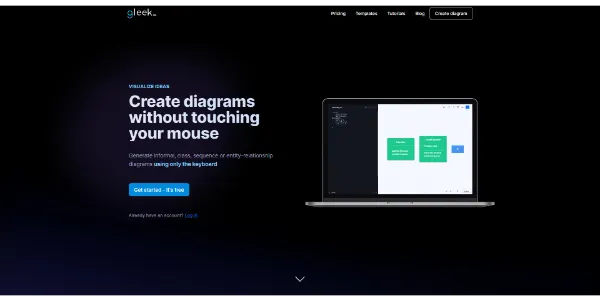
Gleek is a text-to-diagram tool designed for developers, software engineers, and project.

Gleek is a text-to-diagram tool designed for developers, software engineers, and project managers who need to create various types of diagrams quickly and efficiently. It allows users to generate diagrams using only their keyboard, without the need to touch their mouse. With Gleek, users can create informal, class, sequence, state, Gantt, user journey, or entity-relationship diagrams.
Gleek works by turning descriptions into diagrams using its unique syntax. It offers a range of features, including the ability to create flowcharts, UML class diagrams, UML sequence diagrams, UML state machine diagrams, and object diagrams. The tool also provides version control, live collaboration, and diagram export options.
Gleek is particularly useful for teams working on complex software projects, as it enables them to visualize ideas and concepts quickly and easily. It is also helpful for project managers who need to create Gantt charts and other project planning diagrams. By using Gleek, users can save time and improve their productivity, allowing them to focus on the development and implementation of their projects.

Automatisation Ia Avatars Business Ai
Features
Text-to-diagram functionality
allows users to create diagrams using only their keyboard.
UML diagram support
enables users to create UML class diagrams, UML sequence diagrams, and UML state machine diagrams.
Entity-relationship diagram support
helps users design databases at the conceptual level using Chen or Crow’s foot notation.
Gantt chart support
provides an at-a-glance view of the entire project lifecycle.
Verdict
Best forTeams doing Automatisation Ia work who need consistent output without a steep learning curve.
Skip ifYou only need this once or twice; the subscription cost won't pay off for occasional use.
Fast and efficient diagram creation: saves users time and improves productivity.
Easy to learn and use: Gleek’s intuitive syntax makes it simple for users to get started.
Collaboration features: enables teams to work together on diagrams in real-time.
Limited features in the free plan: users can only create 5 diagram files and 40 diagram objects in each diagram file.
Limited export options in the free plan: users can only export diagrams in PNG format.
Alternatives
ToolPricingUpvotesRating
Read AI Freemium ▲ 112 3.7
BigIdeasDB Freemium ▲ 315 3.5
Juice AI Freemium ▲ 280 4.1
Frequently Asked Questions
Gleek is a text-to-diagram tool that turns descriptions into diagrams using its unique syntax. It allows users to create various types of diagrams, including UML diagrams, entity-relationship diagrams, and Gantt charts.
The free plan limits users to 5 diagram files and 40 diagram objects in each diagram file. It also only allows export in PNG format and does not include version control or live collaboration features.
Gleeku2019s pricing is based on usage, with users only paying for the months they use the tool. The tool offers a free plan with limited features, as well as paid plans with additional features and storage capacity.
Gleek allows users to create a range of diagrams, including UML class diagrams, UML sequence diagrams, UML state machine diagrams, entity-relationship diagrams, Gantt charts, and flowcharts.
Yes, Gleek is suitable for large teams. It offers live collaboration features and version control, making it easy for teams to work together on diagrams.
Reviews
📝
No reviews yet
Be the first to share your experience with Gleek.
Submit a Review

Your email address will not be published. Required fields are marked *

Gleek
Gleek
Freemium
Visit Site ↗
Home Prompts

