📂 Assistant Code 👁 1.9k views 🕐 June 1, 2026

Eraser AI

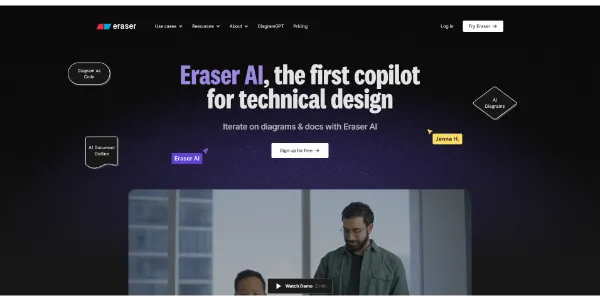
Eraser AI is a copilot for technical design, assisting developers and teams.

Eraser AI is a copilot for technical design, assisting developers and teams in creating, editing, and improving diagrams. It is designed for modern developers and trusted by leading engineering teams globally. With Eraser AI, users can generate diagrams on an infinite canvas, represented as diagram-as-code, which can be easily edited and shared with teammates. The tool offers various plans, including a Free plan for individuals and small teams, allowing them to create up to 3 files and generate up to 5 AI diagrams. Eraser AI's outputs are fully editable, and it does not train AI models with user data, ensuring data privacy and security. The tool also provides features like multiplayer collaboration, GitHub sync, and a markdown editor, making it an ideal solution for teams looking to streamline their design and documentation process.

Assistant Code Featured Last Ia
Features
Diagram-as-code
Eraser AI generates diagram code that can be easily edited and shared with teammates.
Multiplayer collaboration
Teams can collaborate in real-time, share docs and diagrams, and comment on each other's work.
GitHub sync
Eraser AI allows users to sync their work with GitHub, enabling seamless integration with existing workflows.
Markdown editor
The tool comes with a fully featured markdown editor for creating design docs and documentation.
Verdict
Best forTeams doing Assistant Code work who need consistent output without a steep learning curve.
Skip ifYou only need this once or twice; the subscription cost won't pay off for occasional use.
Eraser AI boosts developer productivity by automating tedious design tasks and enabling real-time collaboration.
The tool provides a secure and private environment for design and documentation, as it does not train AI models with user data.
Eraser AI's diagram-as-code feature makes it easy to edit and maintain diagrams, reducing the risk of errors and inconsistencies.
The Free plan has limitations, such as only allowing 5 AI generations or edits, which may not be sufficient for larger teams or projects.
Eraser AI may require some time to learn and adapt to, especially for users who are new to diagram-as-code and collaborative design tools.
Alternatives
ToolPricingUpvotesRating
Read AI Freemium ▲ 112 3.7
BigIdeasDB Freemium ▲ 315 3.5
Juice AI Freemium ▲ 280 4.1
Frequently Asked Questions
Eraser AI is a copilot for technical design that generates diagrams from natural language prompts and allows users to edit and share them with teammates. It uses diagram-as-code to represent diagrams, making it easy to edit and maintain them.
The Free plan allows up to 3 files and 5 AI generations or edits, and is suitable for individuals and small teams who are getting started with Eraser AI.
Yes, Eraser AI provides multiplayer collaboration features, enabling teams to work together on diagrams and technical documentation in real-time.
Yes, Eraser AI does not train AI models with user data, ensuring data privacy and security. It is also SOC II Type 2 audited and enterprise-ready.
Eraser AI is unique in its use of diagram-as-code and collaborative design features, making it an ideal solution for teams looking to streamline their design and documentation process.
Reviews
📝
No reviews yet
Be the first to share your experience with Eraser AI.
Submit a Review

Your email address will not be published. Required fields are marked *

Eraser AI
Eraser AI
Freemium
Visit Site ↗
Home Prompts

