📂 Art 👁 3.1k views 🕐 June 3, 2026

Erase It

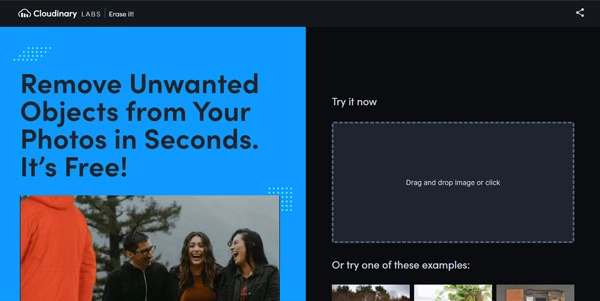
Erase It is an art tool designed for individuals who need to.

Erase It is an art tool designed for individuals who need to remove unwanted elements from their digital artwork. It is suited for graphic designers, artists, and photographers who require precision editing.
Erase It works by utilizing advanced algorithms to identify and remove selected elements from an image, allowing for seamless integration of the edited area with the rest of the artwork. The key capabilities of Erase It include its ability to handle complex backgrounds and its user-friendly interface.
Professionals and hobbyists alike who regularly work with digital art and need to make precise edits can benefit greatly from Erase It. Its ability to preserve the original quality of the artwork while making edits makes it a valuable tool for those who require high-quality outputs.

Art Avatars Business Ai
Features
Advanced algorithms for element removal
This feature allows Erase It to accurately identify and remove unwanted elements from an image.
Complex background handling
Erase It can handle images with complex backgrounds, making it easier to edit and remove elements.
User-friendly interface
The interface of Erase It is designed to be easy to use, even for those who are not familiar with advanced editing tools.
Precision editing
Erase It allows for precise editing, giving users control over the elements they want to remove.
Verdict
Best forTeams doing Art work who need consistent output without a steep learning curve.
Skip ifYou only need this once or twice; the subscription cost won't pay off for occasional use.
Erase It provides a high level of precision, allowing users to remove even the smallest details from an image.
The tool is relatively easy to use, even for those without extensive experience in digital art editing.
Erase It can handle a wide range of image formats, making it versatile for different projects.
The lack of detailed documentation and tutorials may make it difficult for new users to fully utilize Erase It's capabilities.
Erase It may struggle with certain types of images, such as those with intricate patterns or textures.
Alternatives
ToolPricingUpvotesRating
Read AI Freemium ▲ 112 3.7
BigIdeasDB Freemium ▲ 315 3.5
Juice AI Freemium ▲ 280 4.1
Frequently Asked Questions
Erase It is used for removing unwanted elements from digital artwork, such as logos, backgrounds, or distractions in photos. It is designed for graphic designers, photographers, and digital artists who need precise editing capabilities.
Erase It utilizes advanced algorithms to identify and remove selected elements from an image, allowing for seamless integration of the edited area with the rest of the artwork.
The key features of Erase It include its advanced algorithms for element removal, complex background handling, user-friendly interface, precision editing, and quality preservation.
While Erase It can be used by beginners, its lack of detailed documentation and tutorials may make it more challenging for those without experience in digital art editing to fully utilize its capabilities.
Erase It stands out from other editing tools with its precision editing capabilities and ability to handle complex backgrounds, making it a valuable tool for professionals who require high-quality outputs.
Reviews
📝
No reviews yet
Be the first to share your experience with Erase It.
Submit a Review

Your email address will not be published. Required fields are marked *

Erase It
Erase It
Freemium
Visit Site ↗
Home Prompts

