📂 Assistant Code 👁 2.2k views 🕐 May 26, 2026

CodeCompanion

CodeCompanion is an assistant code tool designed for developers to enhance their.

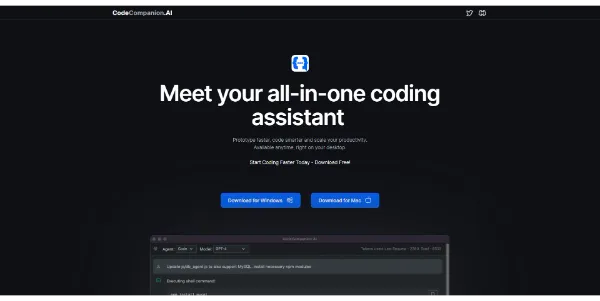
CodeCompanion is an assistant code tool designed for developers to enhance their coding experience. It is intended for individuals and teams looking to improve their coding efficiency and accuracy. CodeCompanion aims to provide a comprehensive set of features to support developers throughout their coding journey.
CodeCompanion works by integrating into the developer's workflow, providing real-time code suggestions, and assisting with code completion. Its key capabilities include code analysis, code refactoring, and code optimization. By leveraging these features, developers can focus on the logical aspects of coding, leaving the mundane tasks to the tool.
Developers who value precision, speed, and organization in their coding process are likely to get the most value from CodeCompanion. This is because the tool is specifically designed to cater to the needs of developers, addressing common pain points such as code duplication, syntax errors, and optimization issues.

Assistant Code Avatars Business Ai
Features
Code completion
provides real-time code suggestions to developers, reducing the time spent on typing and minimizing syntax errors.
Code analysis
examines the code for potential issues, such as bugs, security vulnerabilities, and performance bottlenecks, allowing developers to address them promptly.
Code refactoring
assists developers in restructuring their code to make it more maintainable, efficient, and readable.
Code optimization
helps developers improve the performance of their code by identifying areas of improvement and suggesting optimizations.
Verdict
Best forTeams doing Assistant Code work who need consistent output without a steep learning curve.
Skip ifYou only need this once or twice; the subscription cost won't pay off for occasional use.
Enhances coding speed and accuracy by providing real-time code suggestions and automated code completion.
Improves code quality by identifying and addressing potential issues, such as syntax errors and security vulnerabilities.
Streamlines the development process by automating mundane tasks, allowing developers to focus on complex logical aspects.
May require significant setup and configuration to integrate with existing development workflows.
Could potentially introduce dependencies or compatibility issues with certain development environments or libraries.
Alternatives
ToolPricingUpvotesRating
Read AI Freemium ▲ 112 3.7
BigIdeasDB Freemium ▲ 315 3.5
Juice AI Freemium ▲ 280 4.1
Frequently Asked Questions
CodeCompanion is an assistant code tool that integrates into the developer's workflow, providing real-time code suggestions, code analysis, and code optimization. It aims to streamline the coding process, improving efficiency, accuracy, and overall code quality.
Yes, CodeCompanion can be used for large-scale development projects, as it is designed to support teams and individuals in managing complex codebases and improving collaboration.
Yes, CodeCompanion supports integration with popular integrated development environments (IDEs), allowing developers to use the tool seamlessly within their preferred development environments.
The system requirements for using CodeCompanion are not available, as this information is not provided on the official website.
CodeCompanion's unique features, such as its code analysis and optimization capabilities, set it apart from other coding assistant tools. However, the exact differences and advantages depend on the specific tools being compared.
Reviews
📝
No reviews yet
Be the first to share your experience with CodeCompanion.
Submit a Review

Your email address will not be published. Required fields are marked *

CodeCompanion
CodeCompanion
Freemium
Visit Site ↗
Home Prompts

