📂 Edition Video 👁 512 views 🕐 May 31, 2026

AVCLabs Video Blur AI

AVCLabs Video Blur AI is an AI-powered video editor designed for individuals.

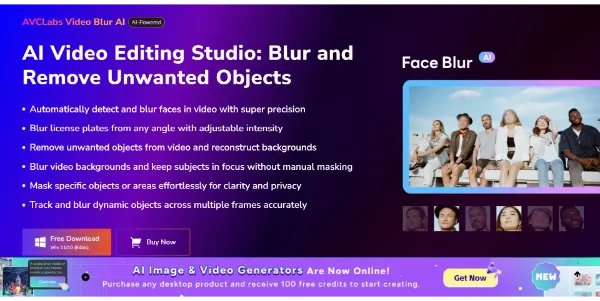
AVCLabs Video Blur AI is an AI-powered video editor designed for individuals and professionals who need to blur faces, backgrounds, or objects in their videos. It automatically identifies and blurs these elements, reducing 99% of manual editing work. The tool is particularly useful for those who regularly work with sensitive or private video content.
AVCLabs Video Blur AI works by automatically scanning and identifying faces, license plates, and other objects in videos. It then allows users to blur these elements with just a few clicks. The tool also features advanced AI object removal capabilities, enabling users to remove distractions from their videos. Additionally, it provides flexible blur customization options, allowing users to adjust blur intensity, size, and feathering to achieve the desired level of anonymity or visual effect.
The tool is most valuable for video editors, content creators, and individuals who need to protect sensitive information in their videos. It is especially useful for those who work with surveillance footage, public event videos, or any content that requires anonymization. By automating the blurring and object removal process, AVCLabs Video Blur AI saves time and effort, enabling users to focus on other aspects of video editing and production.

Edition Video Face Swap Deepfake Featured
Features
Automated face and object detection
AVCLabs Video Blur AI automatically identifies faces, license plates, and other objects in videos, allowing for easy blurring and removal.
AI-powered object removal
The tool features advanced AI object removal capabilities, enabling users to remove distractions from their videos.
Flexible blur customization
AVCLabs Video Blur AI provides options to adjust blur intensity, size, and feathering, allowing users to achieve the desired level of anonymity or visual effect.
Assign Faces and Free-form Selection
The tool offers two methods for blurring faces, allowing users to choose the approach that best suits their needs.
Verdict
Best forTeams doing Edition Video work who need consistent output without a steep learning curve.
Skip ifYou only need this once or twice; the subscription cost won't pay off for occasional use.
Saves time and effort by automating the blurring and object removal process
Provides flexible blur customization options to achieve the desired level of anonymity or visual effect
Supports various video formats, making it a versatile solution for different video editing needs
May not always accurately identify faces or objects, requiring manual adjustment
The trial version has limitations, which may not be suitable for all users
Alternatives
ToolPricingUpvotesRating
Read AI Freemium ▲ 112 3.7
BigIdeasDB Freemium ▲ 315 3.5
Juice AI Freemium ▲ 280 4.1
Frequently Asked Questions
AVCLabs Video Blur AI is an AI-powered video editor that automatically identifies and blurs faces or backgrounds, and removes objects from videos, reducing 99% of manual editing work.
AVCLabs Video Blur AI works by automatically scanning and identifying faces, license plates, and other objects in videos, and then allowing users to blur these elements with just a few clicks.
The system and hardware requirements for AVCLabs Video Blur AI are not specified in the given content, so it's recommended to check the official website for the most up-to-date information.
Yes, AVCLabs Video Blur AI allows you to remove unwanted objects like passersby, logos, or date stamps from your videos using its AI object removal feature.
The Assign Faces feature waits for the entire video to be scanned and then selects the face to be blurred among all the scanned faces, while the Free-form Selection feature is faster and more intuitive, allowing users to select faces by clicking selection boxes on the homepage.
Reviews
📝
No reviews yet
Be the first to share your experience with AVCLabs Video Blur AI.
Submit a Review

Your email address will not be published. Required fields are marked *

AVCLabs Video Blur AI
Freemium
Visit Site ↗
Home Prompts

