📂 Avatars 👁 555 views 🕐 May 30, 2026

AutoPod

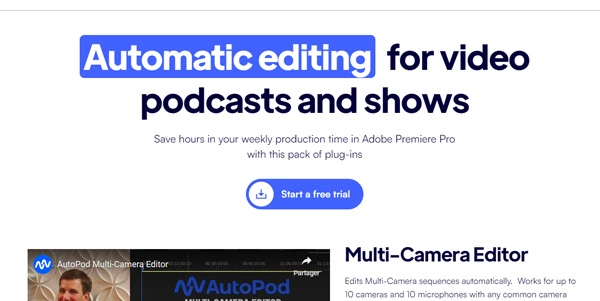
AutoPod is a set of Adobe Premiere Pro plug-ins designed for video.

AutoPod is a set of Adobe Premiere Pro plug-ins designed for video podcast and video show editors. It automates the editing process, allowing for efficient multi-camera video editing, creation of social clips, and jump cuts during silent portions of videos. AutoPod's capabilities are based on thousands of hours of podcast footage, taking into account who is speaking, camera layout, and typical editing conventions. The tool supports up to 10 speakers with various camera combinations, including single shots, two shots, three shots, and wide shots. AutoPod is particularly useful for editors who need to work with multiple cameras and unique audio tracks, as it requires separate audio tracks to make informed editing decisions. Video podcast and show editors can benefit significantly from AutoPod, as it streamlines their workflow, saving time and effort. By automating tedious editing tasks, AutoPod enables editors to focus on the creative aspects of their work, resulting in higher-quality content.

Avatars Business Ai Edition Video
Features
AutoPod Multi-Camera Editor
edits multi-camera videos automatically, considering factors like speaker identification and camera layout.
Social Clip Creation
creates social clips from edited videos, making it easier to share content on social media platforms.
Jump Cut Creation
automatically creates jump cuts during silent portions of videos, enhancing the viewing experience.
Support for Multiple Camera Layouts
works with common camera layouts, including single shots, two shots, three shots, and wide shots, supporting up to 10 speakers.
Verdict
Best forTeams doing Avatars work who need consistent output without a steep learning curve.
Skip ifYou only need this once or twice; the subscription cost won't pay off for occasional use.
Saves time and effort by automating the video editing process, allowing editors to focus on creative aspects.
Enhances video quality by creating professional-looking jump cuts and social clips.
Supports a wide range of camera layouts, making it versatile for various editing needs.
Requires separate audio tracks for each camera, which can be a limitation for some users.
Only compatible with Adobe Premiere Pro, limiting its use for editors who prefer other video editing software.
Alternatives
ToolPricingUpvotesRating
Read AI Freemium ▲ 112 3.7
BigIdeasDB Freemium ▲ 315 3.5
Juice AI Freemium ▲ 280 4.1
Frequently Asked Questions
AutoPod is a set of Adobe Premiere Pro plug-ins that automate video podcast and video show editing. It uses thousands of hours of podcast footage to inform its editing decisions, considering factors like speaker identification and camera layout.
AutoPod can be worth it for video editors who need to automate their workflow, especially those working with multiple cameras and audio tracks. It saves time and effort, allowing editors to focus on creative aspects.
AutoPod requires Adobe Premiere Pro 2023 or newer to function. If your computer can run Adobe Premiere Pro, it should be compatible with AutoPod.
No, AutoPod is specifically designed for Adobe Premiere Pro and is not compatible with other video editing software.
You can switch computers with your AutoPod license by visiting the official website and following the instructions provided.
Reviews
📝
No reviews yet
Be the first to share your experience with AutoPod.
Submit a Review

Your email address will not be published. Required fields are marked *

AutoPod
AutoPod
Freemium
Visit Site ↗
Home Prompts

