📂 Edition Video 👁 1.9k views 🕐 May 22, 2026

Adobe Premiere Pro

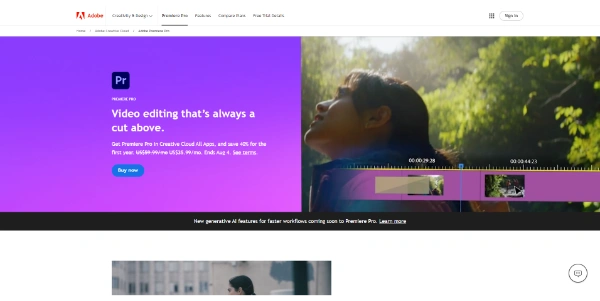
Adobe Premiere Pro is a professional video editing software designed for filmmakers,.

Adobe Premiere Pro is a professional video editing software designed for filmmakers, videographers, and content creators who need advanced tools to produce high-quality videos. It offers a wide range of features, including multi-camera editing, advanced color grading, and visual effects. With its intuitive interface and seamless integration with other Adobe Creative Cloud applications, Premiere Pro streamlines the video editing process, allowing users to focus on their creative vision.
Premiere Pro works by providing a comprehensive set of tools for importing, editing, and exporting video files. It supports various file formats, including 4K, 8K, and VR, and offers advanced features like motion tracking, keyframe animation, and audio ducking. The software also integrates with other Adobe apps, such as After Effects and Photoshop, allowing for a smooth workflow and efficient collaboration.
Professional videographers, filmmakers, and content creators who require advanced editing tools and seamless integration with other creative applications get the most value from Adobe Premiere Pro. Its ability to handle complex projects, support for various file formats, and advanced features like color grading and visual effects make it an ideal choice for those who need to produce high-quality videos.

Edition Video Featured Last Ia
Features
Multi-camera editing
allows users to sync and edit footage from multiple cameras
Advanced color grading
provides precise control over color and luminance
Visual effects
includes a range of effects, such as transitions, titles, and motion graphics
Audio editing
offers advanced audio tools, including noise reduction and audio ducking
Verdict
Best forTeams doing Edition Video work who need consistent output without a steep learning curve.
Skip ifYou only need this once or twice; the subscription cost won't pay off for occasional use.
Advanced features and tools for professional video editing
Seamless integration with other Adobe Creative Cloud applications
Intuitive interface and customizable workflow
Steep learning curve for beginners
Requires significant system resources and hardware specifications
Alternatives
ToolPricingUpvotesRating
Read AI Freemium ▲ 112 3.7
BigIdeasDB Freemium ▲ 315 3.5
Juice AI Freemium ▲ 280 4.1
Frequently Asked Questions
Adobe Premiere Pro is used for professional video editing, including advanced features like color grading, visual effects, and motion graphics. It is ideal for filmmakers, videographers, and content creators who need to produce high-quality videos.
Adobe Premiere Pro is worth it for professional videographers, filmmakers, and content creators who require advanced editing tools and seamless integration with other creative applications. However, it may not be the best choice for beginners or casual video editors who only need basic features.
Alternatives to Adobe Premiere Pro include other professional video editing software like Avid Media Composer, Blackmagic Design DaVinci Resolve, and Final Cut Pro X. Each has its own unique features and pricing models, so it's essential to research and compare them to find the best fit for your needs.
Adobe Premiere Pro offers a free trial, but it is not available for free use. However, students and teachers can purchase it at a discounted rate as part of the Adobe Creative Cloud for education plan.
Adobe Premiere Pro is a professional video editing software that offers advanced features, seamless integration with other Adobe apps, and a comprehensive set of tools. Compared to other video editing software, Premiere Pro stands out for its advanced color grading, visual effects, and motion graphics capabilities.
Reviews
📝
No reviews yet
Be the first to share your experience with Adobe Premiere Pro.
Submit a Review

Your email address will not be published. Required fields are marked *

Adobe Premiere Pro
Adobe Premiere Pro
Freemium
Visit Site ↗
Home Prompts

