How to Use AI: Hands-On Exercises for Beginners and Pros


How to Use AI: Hands-On Exercises for Beginners and Pros
Artificial Intelligence (AI) isn’t just a futuristic concept—it’s a practical tool you can start using today. From generating text to recognizing images, AI can improve productivity, creativity, and decision-making. This guide will show you how to use AI step by step, with hands-on exercises for both beginners and advanced users, so you can practice AI in real projects.
Why You Should Learn AI Hands-On
Reading about AI is useful, but the real understanding comes when you experiment and apply it yourself. Hands-on AI helps you:
- Understand how models work under the hood
- Gain practical skills that employers and projects value
- Learn faster by seeing results in real time.
- Discover creative ways to solve problems using AI
Step 1: Get Comfortable with AI Basics
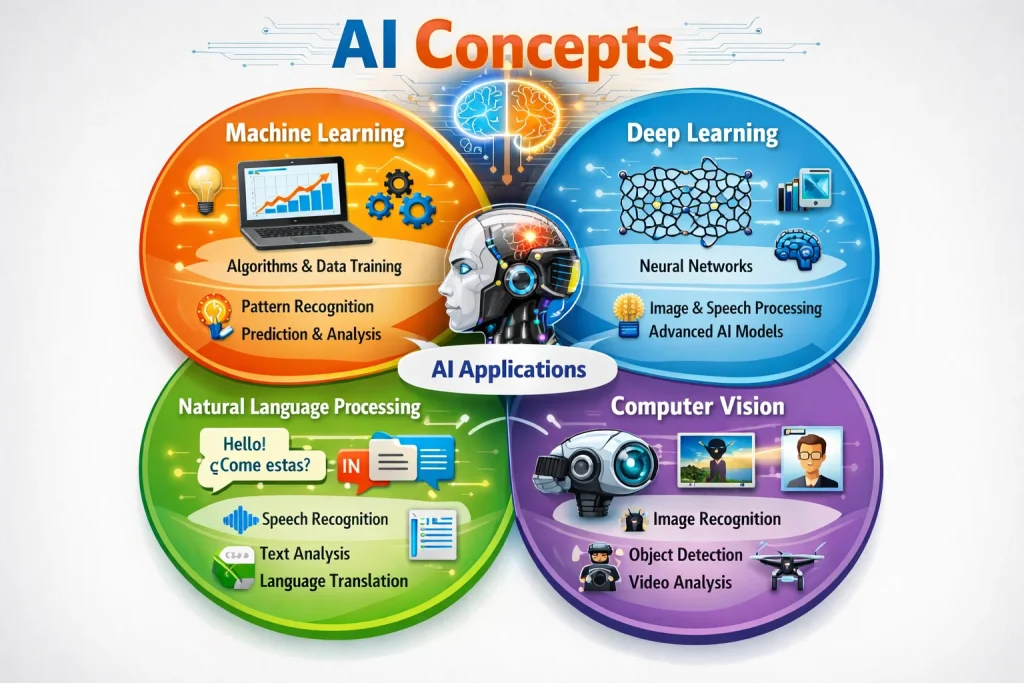
Before jumping into exercises, familiarize yourself with key AI concepts:
- Machine Learning (ML): Systems learn patterns from data to make predictions.
- Deep Learning: Neural networks with multiple layers for complex tasks.
- Natural Language Processing (NLP): How AI understands and generates human language.
- Computer Vision: AI interpreting and understanding images and video.
Recommended reading: TensorFlow official guide and PyTorch tutorials.
Step 2: Set Up Your AI Environment
To practice AI effectively, you need the right tools. Here’s a simple setup:
- Python: The most widely used programming language for AI.
- Jupyter Notebook: Interactive coding environment for testing models.
- Libraries: TensorFlow, PyTorch, Scikit-Learn, Hugging Face Transformers.
- Optional: GPU support for faster training (NVIDIA GPUs recommended).
If you don’t want to set up locally, you can use Google Colab for free GPU resources. Internal guide: AI Workstation Build Guide.
Step 3: Hands-On AI Exercises
Now comes the fun part—actually using AI! Here are practical exercises you can try immediately:
- Text Generation: Use GPT-2, GPT-3, or Hugging Face models to generate stories, summaries, or emails. Experiment with prompts to see how AI responds.
- Image Classification: Train a simple neural network on the MNIST or CIFAR-10 dataset to classify handwritten digits or objects.
- Chatbot Project: Build a small conversational AI using Rasa or ChatterBot. Create intents and responses for FAQs or fun interactions.
- Data Analysis: Use AI to predict trends or analyze small datasets. Even simple projects teach important concepts.

Step 4: Tips for Effective AI Practice
- Start small—use small datasets before scaling up.
- Modify code and parameters to see different outcomes.
- Document your results to track your experiments.
- Use cloud resources if your hardware isn’t strong enough.
- Join AI communities like r/MachineLearning or Kaggle forums.
Step 5: Build Your Own AI Projects
- AI text summarizer for articles or reports
- Image recognition app for personal photos
- Simple recommendation engine
- Chatbot for FAQs or customer support
Best Workstation for Machine Learning to ensure your system can handle more advanced AI tasks.
Conclusion
Learning AI is best done by doing. Start with basic exercises, explore models, and gradually tackle real-world projects. Hands-on practice builds skills, confidence, and creativity, preparing you for AI-powered solutions in any field. For hardware tips, see our guide: Best AI Computing Workstation.