📂 Art 👁 2.1k views 🕐 June 7, 2026

Kumoo AI

Kumoo AI is a professional batch portrait retouching tool designed for photographers.

Kumoo AI is a professional batch portrait retouching tool designed for photographers and editors who need to process multiple images quickly while maintaining high quality. It offers advanced features such as skin, face, and full-body retouching, color adjustment, and background retouch. Kumoo AI is developed by Meitu and uses AI algorithms to automate the editing process, making it easy to use even for those without professional editing skills. The tool is particularly useful for batch workflows, allowing users to maintain a consistent visual style across a full photo set. By applying presets and syncing editing settings, users can improve both consistency and efficiency in their editing process.

Art Avatars Business Ai
Features
Portrait Retouch
Kumoo AI offers advanced portrait retouching capabilities, including skin, face, and full-body retouching with natural, commercial-grade results.
Color Adjustment
The tool provides a RAW workflow, AI grading, curves, and intelligent exposure for precise color control.
Background Retouch
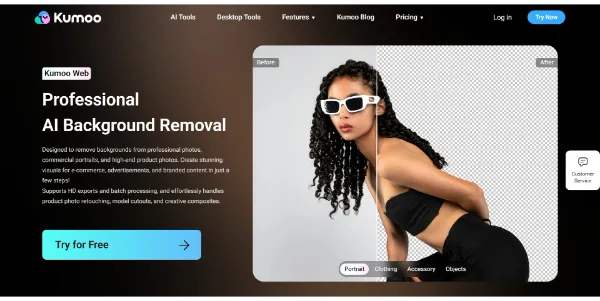
Kumoo AI enables quick cutouts, clean edges, and seamless background replacement, making it easy to remove or replace backgrounds in portraits.
Clothing Retouch
The tool allows users to remove wrinkles from clothing while preserving fabric texture and drape, ensuring that the edited images look natural and realistic.
Verdict
Best forTeams doing Art work who need consistent output without a steep learning curve.
Skip ifYou only need this once or twice; the subscription cost won't pay off for occasional use.
Kumoo AI saves a significant amount of time in the editing process, allowing photographers and editors to deliver high-quality images to clients quickly.
The tool offers professional-grade results with minimal effort, making it an excellent choice for those who need to produce high-quality images regularly.
Kumoo AI is easy to use, even for those without professional editing skills, thanks to its intuitive interface and automated editing features.
Kumoo AI may not be suitable for users who require a high degree of manual control over the editing process, as it relies heavily on AI algorithms to automate tasks.
The tool may not be compatible with all file formats or operating systems, which could limit its usefulness for some users.
Alternatives
ToolPricingUpvotesRating
Read AI Freemium ▲ 112 3.7
BigIdeasDB Freemium ▲ 315 3.5
Juice AI Freemium ▲ 280 4.1
Frequently Asked Questions
Kumoo AI is a professional batch portrait retouching tool that uses AI algorithms to automate the editing process, making it easy to use and saving a significant amount of time.
Yes, Kumoo AI is designed for professional use and is suitable for commercial applications, such as editing portraits for clients or creating marketing materials.
Yes, Kumoo AI may offer a free trial or demo, allowing you to test the tool and see if it meets your needs before committing to a purchase.
Kumoo AI is specifically designed for batch portrait retouching and offers advanced features such as AI-powered editing and batch processing, making it a unique and valuable tool for photographers and editors.
The specific file formats supported by Kumoo AI are not explicitly stated, but the tool is designed to work with a variety of image file formats, including RAW files.
Reviews
📝
No reviews yet
Be the first to share your experience with Kumoo AI.
Submit a Review

Your email address will not be published. Required fields are marked *

Kumoo AI
Kumoo AI
Freemium
Visit Site ↗
Home Prompts