📂 Automatisation Ia 👁 3.3k views 🕐 June 8, 2026

Make

Make is an automation tool designed for individuals and teams looking to.

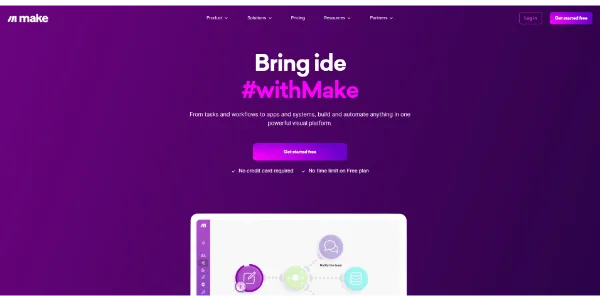
Make is an automation tool designed for individuals and teams looking to streamline their workflows by connecting various apps and services. It allows users to automate repetitive tasks, synchronize data, and create custom workflows without needing to write code. By leveraging Make, users can focus on high-value tasks and improve overall productivity. Make works by providing a visual interface to design workflows, using a drag-and-drop system to connect different applications and services. Users can select from a wide range of pre-built modules for popular services like Google Drive, Slack, and Trello, or use generic modules for more customized integrations. The key capabilities of Make include its ease of use, flexibility in workflow design, and the ability to handle complex automation tasks. Make is particularly valuable for operations managers, marketers, and IT professionals who need to automate tasks across multiple applications and services. These users can benefit from Make's ability to integrate with a wide range of tools, its scalability, and its customer support. By automating routine tasks, these professionals can save time, reduce errors, and enhance their overall workflow efficiency.

Automatisation Ia Chatbot Ia E Commerce
Features
Visual Workflow Editor
Allows users to design workflows using a drag-and-drop interface, making it easy to automate tasks without coding.
Pre-built Modules
Offers a wide range of pre-built modules for popular services, enabling quick integration and automation.
Customizable Workflows
Enables users to create complex workflows tailored to their specific needs, using conditional logic and error handling.
Real-time Monitoring
Provides real-time monitoring of workflows, allowing users to track the status of their automations and quickly identify any issues.
Verdict
Best forTeams doing Automatisation Ia work who need consistent output without a steep learning curve.
Skip ifYou only need this once or twice; the subscription cost won't pay off for occasional use.
Easy to use, even for those without extensive coding knowledge, thanks to its visual workflow editor.
Highly flexible, with the ability to integrate a wide range of services and applications.
Scalable, making it suitable for both small and large-scale automation tasks.
Can be overwhelming for very simple automation tasks due to its feature-rich interface.
Dependence on internet connectivity for cloud-based operations, which may pose issues in areas with unstable connections.
Alternatives
ToolPricingUpvotesRating
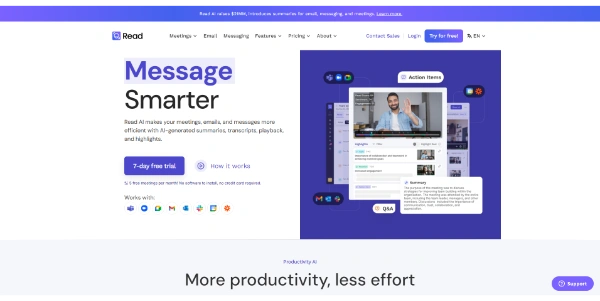
Read AI Freemium ▲ 112 3.7
BigIdeasDB Freemium ▲ 315 3.5
Juice AI Freemium ▲ 280 4.1
Frequently Asked Questions
Make is an automation tool that connects apps and services, allowing users to create custom workflows without coding. It automates workflows by providing a visual interface to design, connect, and manage workflows across different applications and services.
Make offers various support channels, including documentation, community forums, and direct customer support, to help users design and troubleshoot their workflows.
Yes, Make is capable of handling complex automation tasks, including conditional logic, error handling, and integration with multiple services, making it suitable for a wide range of automation needs.
Make stands out due to its ease of use, flexibility, and scalability. It offers a unique visual workflow editor and a wide range of pre-built modules, making it a strong choice for both beginners and advanced users looking for a robust automation solution.
Yes, Make can be beneficial for small businesses and individual users who need to automate tasks but may not have extensive coding knowledge. Its user-friendly interface and flexible pricing plans make it accessible to a variety of users.
Reviews
📝
No reviews yet
Be the first to share your experience with Make.
Submit a Review

Your email address will not be published. Required fields are marked *

Make
Make
Freemium
Visit Site ↗
Home Prompts