📂 Avatars 👁 3.3k views 🕐 May 22, 2026

Vector to 3D

Vector to 3D is a tool designed for graphic designers, 3D artists,.

Vector to 3D is a tool designed for graphic designers, 3D artists, and developers who need to convert SVG files into 3D models. It is particularly useful for creating avatars, icons, and other graphical elements that require a three-dimensional representation. The tool's simplicity and ease of use make it accessible to users without extensive 3D modeling experience.

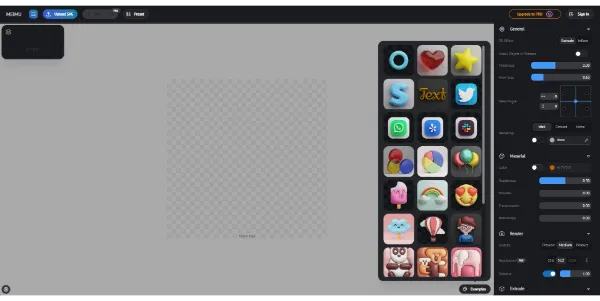
The tool works by taking an SVG file as input and using advanced algorithms to convert it into a 3D model. The resulting model can be customized and refined using various tools and settings, including materials, textures, and lighting effects. One of the key capabilities of Vector to 3D is its ability to produce high-quality ray-tracing renders, which can be used to create realistic and detailed images.

Graphic designers and 3D artists who need to create complex 3D models from 2D vector graphics get the most value from Vector to 3D. The tool saves them time and effort by automating the conversion process and providing a user-friendly interface for customization and refinement. Additionally, the tool's ability to produce high-quality ray-tracing renders makes it ideal for creating realistic and detailed images for various applications, including gaming, animation, and product visualization.

Avatars Business Ai Edit Image
Features
SVG Import
allows users to import SVG files and convert them into 3D models
3D Modeling
provides tools and settings for customizing and refining the resulting 3D model
Ray Tracing Rendering
produces high-quality, realistic images with detailed lighting and texture effects
Material and Texture Editing
allows users to customize the appearance of the 3D model using various materials and textures
Verdict
Best forTeams doing Avatars work who need consistent output without a steep learning curve.
Skip ifYou only need this once or twice; the subscription cost won't pay off for occasional use.
Easy to use, even for users without extensive 3D modeling experience
Fast conversion process, saving time and effort
High-quality ray-tracing renders for realistic and detailed images
Limited control over the conversion process, which may result in unexpected outcomes
Dependence on the quality of the input SVG file, which can affect the resulting 3D model
Alternatives
ToolPricingUpvotesRating
Read AI Freemium ▲ 112 3.7
BigIdeasDB Freemium ▲ 315 3.5
Juice AI Freemium ▲ 280 4.1
Frequently Asked Questions
Vector to 3D is a tool that converts SVG files into 3D models with one click, using advanced algorithms and providing high-quality ray-tracing renders. It is designed for graphic designers, 3D artists, and developers who need to create 3D models from 2D vector graphics.
The benefits of using Vector to 3D include easy conversion of SVG files into 3D models, fast processing time, and high-quality ray-tracing renders. It is also user-friendly and accessible to users without extensive 3D modeling experience.
Vector to 3D allows you to export your 3D model in various formats, including OBJ, STL, and FBX, making it compatible with different applications and software.
Pricing information is not available, please visit the official website for more details on pricing plans and any potential free trials or tiers.
Vector to 3D is unique in its ability to convert SVG files into 3D models quickly and easily, with a focus on high-quality ray-tracing renders. While other tools may offer more advanced 3D modeling capabilities, Vector to 3D is designed for users who need to create 3D models from 2D vector graphics without extensive experience.
Reviews
📝
No reviews yet
Be the first to share your experience with Vector to 3D.
Submit a Review

Your email address will not be published. Required fields are marked *

Vector to 3D
Vector to 3D
Freemium
Visit Site ↗
Home Prompts

