📂 Avatars 👁 462 views 🕐 May 28, 2026

Piktochart AI

Piktochart AI is a tool designed for individuals and teams looking to.

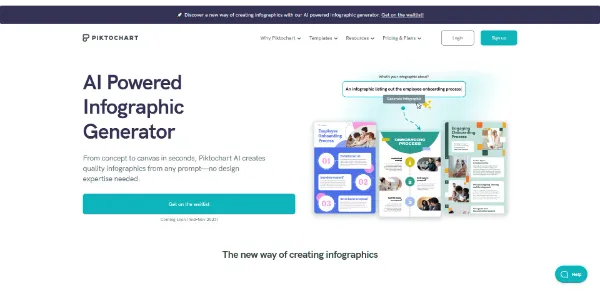
Piktochart AI is a tool designed for individuals and teams looking to create professional-grade infographics without extensive design experience. It's particularly useful for those who need to visualize data, create educational materials, or craft engaging presentations. With Piktochart AI, users can turn ideas into visual drafts using 60 monthly AI credits, making it accessible for a wide range of applications.
Piktochart AI works by allowing users to input a topic, pasted text, report, notes, data summary, or uploaded document, and then generates an editable infographic draft with a clear structure and visual direction. The AI lays the groundwork, and then hands the reins to the user, enabling them to tailor and transform every element to enhance their visual story while remaining on-brand. This process includes organizing the message, sections, visuals, and call to action, providing a useful draft instead of a blank canvas.
Professionals, educators, and students who regularly need to create engaging, informative, and easy-to-understand visual content will get the most value from Piktochart AI. This tool streamlines the process of creating infographics, allowing users to focus on the content and message rather than the design aspects. By leveraging Piktochart AI, users can save time and effort, ensuring their visual content is both stunning and effective.

Avatars Business Ai E Commerce
Features
AI Outline Feature
This feature helps users organize their ideas into a clear, logical structure, keeping the focus on key points and saving both time and effort.
Editable Infographic Drafts
Piktochart AI generates infographic drafts that are fully editable, allowing users to customize text, colors, images, icons, fonts, layout, and brand details.
AI-Powered Design
The tool offers AI-powered design for images, aligning with any topic, whether it's business insights, educational themes, or healthcare explainers.
Customization Options
Users can edit and refine their infographic outlines, saving time and ensuring the final product fits their audience and channel.
Verdict
Best forTeams doing Avatars work who need consistent output without a steep learning curve.
Skip ifYou only need this once or twice; the subscription cost won't pay off for occasional use.
Saves Time: Piktochart AI automates the initial design process, allowing users to focus on content and customization.
Easy to Use: The tool is designed to be user-friendly, even for those without extensive design experience, making it accessible to a wide range of users.
High-Quality Visuals: Piktochart AI generates professional-grade infographics, enhancing the credibility and engagement of the user's content.
Dependence on AI Credits: The number of infographics a user can generate is limited by the available AI credits, which could be a constraint for heavy users.
Limited Free Features: While the free plan is generous, users may find that the features or the number of credits are not sufficient for their needs, requiring an upgrade to a paid plan.
Alternatives
ToolPricingUpvotesRating
Read AI Freemium ▲ 112 3.7
BigIdeasDB Freemium ▲ 315 3.5
Juice AI Freemium ▲ 280 4.1
Frequently Asked Questions
Piktochart AI is a tool that helps create editable infographics from prompts, notes, or uploaded content. It uses AI to generate an initial draft, which can then be customized by the user. This process includes describing the infographic, generating a first draft, and then editing and refining the content, layout, and visuals.
Piktochart AI offers a forever-free plan with 60 monthly AI credits. The exact pricing for the Piktochart Pro and Piktochart Business plans is not specified on the provided content, suggesting a need to contact the company or check their pricing page for the most current information.
The main limitation of the free plan is the number of AI credits available, which is 60 per month. This could limit the number of infographics a user can generate. However, the free plan is quite generous and includes the ability to add up to 3 additional members for free.
Yes, Piktochart AI can be used for commercial purposes, such as creating infographics for marketing campaigns, presentations, or reports. The tool is designed to be versatile and can support a wide range of applications, from educational to professional use.
Piktochart AI stands out with its AI-powered design feature and the ability to generate editable infographic drafts. While other tools may offer similar functionalities, Piktochart AI's ease of use, customization options, and the inclusion of a forever-free plan make it a competitive choice in the market.
Reviews
📝
No reviews yet
Be the first to share your experience with Piktochart AI.
Submit a Review

Your email address will not be published. Required fields are marked *

Piktochart AI
Piktochart AI
Freemium
Visit Site ↗
Home Prompts

