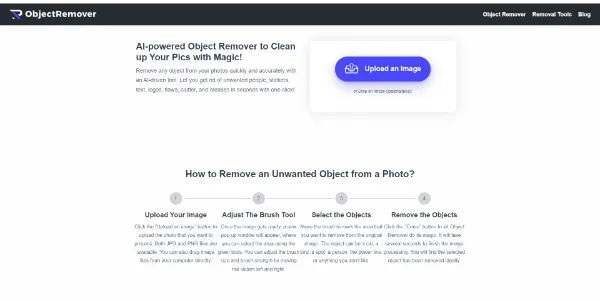
Object Remover
Those who get the most value from Object Remover are individuals who.
Those who get the most value from Object Remover are individuals who frequently need to edit photos for professional or personal use but lack the time or expertise to use complex photo editing software. The tool's ease of use, combined with its free and unlimited usage, makes it an attractive solution for anyone looking to remove unwanted objects from their photos without the hassle of sign-ups, subscriptions, or watermarked exports.
Avatars
Business Ai
Edit Image
Visit Official Site
Freemium
Brush Over Object
allows users to paint over the unwanted object in their photo, giving them precise control over what is removed.
Describe to Erase
enables users to describe what they want to remove from the photo, offering an alternative method for object removal.
AI Inpainting
uses artificial intelligence to fill the selected area with a natural-looking replacement, based on the surrounding pixels and scene structure.
No Sign Up
users can start editing their photos immediately without needing to create an account or share personal details.
✓Easy to Use: the tool is designed for users without extensive photo editing experience, making it accessible to a wide range of individuals.
✓Free and Unlimited: there are no usage limits, and the tool is completely free, making it a cost-effective solution for photo editing needs.
✓Natural-Looking Results: the AI inpainting model produces results that blend seamlessly with the rest of the photo, making the edited area almost indistinguishable.
✕Limited to Object Removal: the tool is specifically designed for removing unwanted objects and may not offer the full range of photo editing capabilities that some users might need.
✕Dependence on AI Accuracy: the quality of the result depends on the AI's ability to accurately analyze the surrounding pixels and fill the selected area naturally.
| Tool | Pricing | Upvotes | Rating |
|---|---|---|---|
 Read AI
 |
Freemium | ▲ 112 | ★ 3.7 |
 BigIdeasDB
 |
Freemium | ▲ 315 | ★ 3.5 |
 Juice AI
 |
Freemium | ▲ 280 | ★ 4.1 |
Object Remover is a free online tool that uses AI to remove unwanted objects from photos. Users can brush over the object or describe what to remove, and the AI fills the area with a natural-looking replacement.
Yes, Object Remover is completely free to use, with no sign-up required, no usage limits, and no watermarked exports. It is designed to be a free service for removing unwanted objects from photos.
Object Remover supports JPG, PNG, and WebP file types, allowing users to upload and edit a variety of photo formats.
Object Remover ensures user privacy by automatically deleting uploaded images and generated results within 2 hours, and it does not require users to create an account or share personal details.
Yes, you can use Object Remover for commercial purposes, such as cleaning up product photos or marketing images, as long as you have the rights to edit and use the original image.
📝
No reviews yet
Be the first to share your experience with Object Remover.
Submit a Review